
In short
- An economy gives your server a currency that people earn by playing and spend in a shop.
- With Manza's Bot you set it up from the dashboard: jobs, shop, events and more.
- The hard part isn't building it, it's keeping balance between what is earned and what is spent.
- It is free with no member limit.
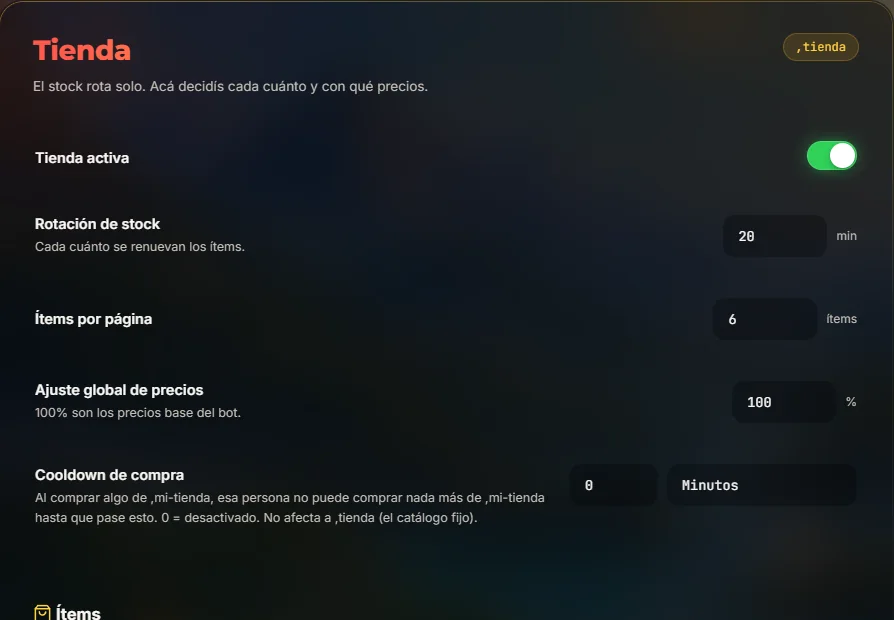
Step by step
- Add Manza's Bot to your server.
- Go to manzasbot.com, sign in with Discord and pick your server.
- Set up the currency (with Premium you can choose its name and emoji).
- Review the jobs and what they pay, so earning takes some time.
- Build the shop with things that matter, like roles or access.
- Try the basic commands (
,balance,,trabajar) with another account.
Events to bring it to life
- Chests the bot drops in chat for whoever opens them first.
- Mysteries and prize codes for special dates.
- Giveaways with the server currency as the prize.
How to keep it balanced
- Make earning cost something: if everyone has plenty of money, nothing is worth anything.
- Give money somewhere to go: a shop with attractive items and risky games like the casino take currency out of circulation.
- Watch the leaderboard: if a few people hoard almost everything, adjust prizes or add expensive items that even things out.
- Change things gradually: small adjustments and telling the community work better than sudden changes.
Frequently asked questions
Is the economy free?
Yes. It is part of the free bot with no member limit. Premium is optional and adds customization.
Can I change the currency name and emoji?
Yes. With Premium the currency can have the name and emoji you want.
Does the bot's money have real value?
No. The coins and items in the bot have no real value and can't be sold.
More guides
Try it on your server
It's free and takes a few minutes to set up from the web dashboard.
Add Manza's BotAlready using it? A vote on top.gg helps more servers find it, and gives you coins and +5% XP for 12 hours.
Vote on top.gg